Remove the Veo watermark, frame by frame
Clean the sparkle and the “Veo” text logo off Veo clips without cropping, blurring or losing quality. ClearFrame runs in your browser, so your clips stay on your device.
- No upload
- Same resolution & frame rate
- Audio untouched
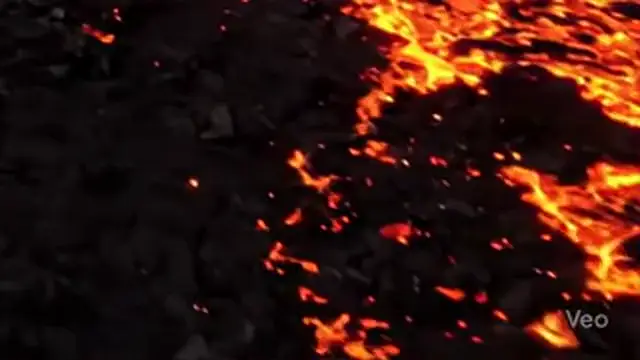 OriginalLogo removed
Real output, unedited. Drag the divider, or zoom in on the logo.
Both kinds of Veo mark
Depending on where a Veo video was made, it may carry the sparkle in the corner or a small “Veo” text logo. ClearFrame finds the sparkle by its shape, and other steady logos such as the text mark by noticing what stays still while the scene moves. If it ever misses, drag a box around the logo and ClearFrame learns it from your video.
Made for moving pictures
Veo clips are full of motion: camera moves, particles, water, light. Covering the logo leaves a patch that stands still while everything else moves. Reversing the blend works on each frame from that frame’s own pixels, so whatever passes behind the logo comes through sharp.
Keep the clip exactly as it was
Your clip keeps its resolution, frame rate, length and audio. Maximum quality encodes at about 2.5 times the original bitrate, so the new file can’t be told apart from the original anywhere outside the logo.
Three steps
- 1
Drop in your files
Videos or photos, one or fifty. Nothing is uploaded: your browser does the work.
- 2
The logo is found
The sparkle or Veo mark is located to the pixel, and its exact opacity is measured in your file.
- 3
Download clean files
Same resolution, frame rate and audio. One by one, or everything as a single ZIP.
Questions
Which watermarks can it remove?
The four-pointed sparkle that Google Gemini and Veo put in the corner of generated videos and images, and the “Veo” text logo. It finds them on its own.
It also handles other steady, semi-transparent corner logos: drag a box around one on the preview and ClearFrame learns that logo from the video itself.
Is anything left behind?
The sparkle is see-through, so the real picture is still in every frame, just blended with white. ClearFrame measures the logo’s exact shape and opacity in your file, reverses that blend in every frame, and then cleans the compression noise along its edge. On most videos nothing is left to see, even zoomed in.
Where a logo is fully opaque there is nothing underneath to recover, so those pixels are filled in from their surroundings.
Will I lose quality?
Resolution, frame rate and the number of frames stay exactly the same, and the audio is copied untouched. Because pixels change, the video has to be re-encoded: Maximum quality uses about 2.5× the original bitrate, so the difference isn’t visible.
PNG photos stay lossless. JPEGs are saved at 95% quality. WebP photos come back as PNG.
Which files and browsers work?
Videos: MP4, MOV, WebM and MKV, in any codec your browser can decode (H.264, HEVC, VP9, AV1). Results are saved as MP4. Photos: PNG, JPG and WebP.
A recent Chrome or Edge on a computer works best. Recent Safari and Firefox handle most files. Phones are fine for photos and short clips.
Am I allowed to remove the watermark?
Only use ClearFrame on content you created or have the right to edit, and follow the terms of the service that generated it.
Removing the visible logo doesn’t change where the content came from. AI media also carries invisible watermarks such as Google’s SynthID, which ClearFrame does not remove, and many platforms and laws require AI-generated content to be labelled. Please keep doing that. See our Terms.
Read next
- How to remove the Gemini watermark from a video, step by stepA step-by-step guide to removing the sparkle logo from Gemini and Veo videos without blurring, cropping or losing quality.
- How to remove watermarks from many videos at onceUse batch mode to clean a whole folder of AI videos and photos in one go, then download everything as a single ZIP.
- How to label AI-generated videos on YouTube, TikTok, Instagram and FacebookWhere to find the AI disclosure setting on each platform, when you need it, and why labelling protects your account.
Also: Gemini watermark remover for videos and photos · Remove the sparkle watermark from AI images